Admin Panel
http://bambuddy.local:8001, user admin, password as set in the setup wizard.
This panel manages the box. Bambuddy's own settings live inside Bambuddy, on port 8000. The separation is deliberate: the panel is an independent service, so it stays reachable when Bambuddy is restarting, misconfigured, or refusing to start at all.
Plain HTTP on a trusted LAN
Like Bambuddy itself, the panel serves plain HTTP with HTTP Basic authentication. Over HTTP, Basic credentials are base64-encoded on the wire, not encrypted. Keep the appliance on a network you trust, or put your own reverse proxy in front of it.
If no password has been provisioned, the panel refuses every route except /health with a 503. That is what makes binding to all interfaces safe by default.
Dashboard
Health at a glance:
- CPU temperature, and the Raspberry Pi power and thermal flags — undervoltage and throttling, both right now and since boot. The since-boot flags are the ones that explain mysterious slowdowns; a cheap USB-C supply will set them.
- Disk and memory usage.
- The containers — Bambuddy and its database, with their state and health — and the service states behind them.
- Network — hostname, mDNS name, and every address the box answers on.
- Hardware — the board, the memory, the size of the card, the power supply and whether a cooler was found.
- Licence — its state, the edition (Personal, Lifetime or Business), the date updates run until, and the days remaining. Lifetime reads "No end date" and has no countdown. A unit with no key reads "not applicable"; one the registrar turned away says so, with an Enter a key button beside it.
- Versions — the OS, the appliance layer, and the running Bambuddy container.
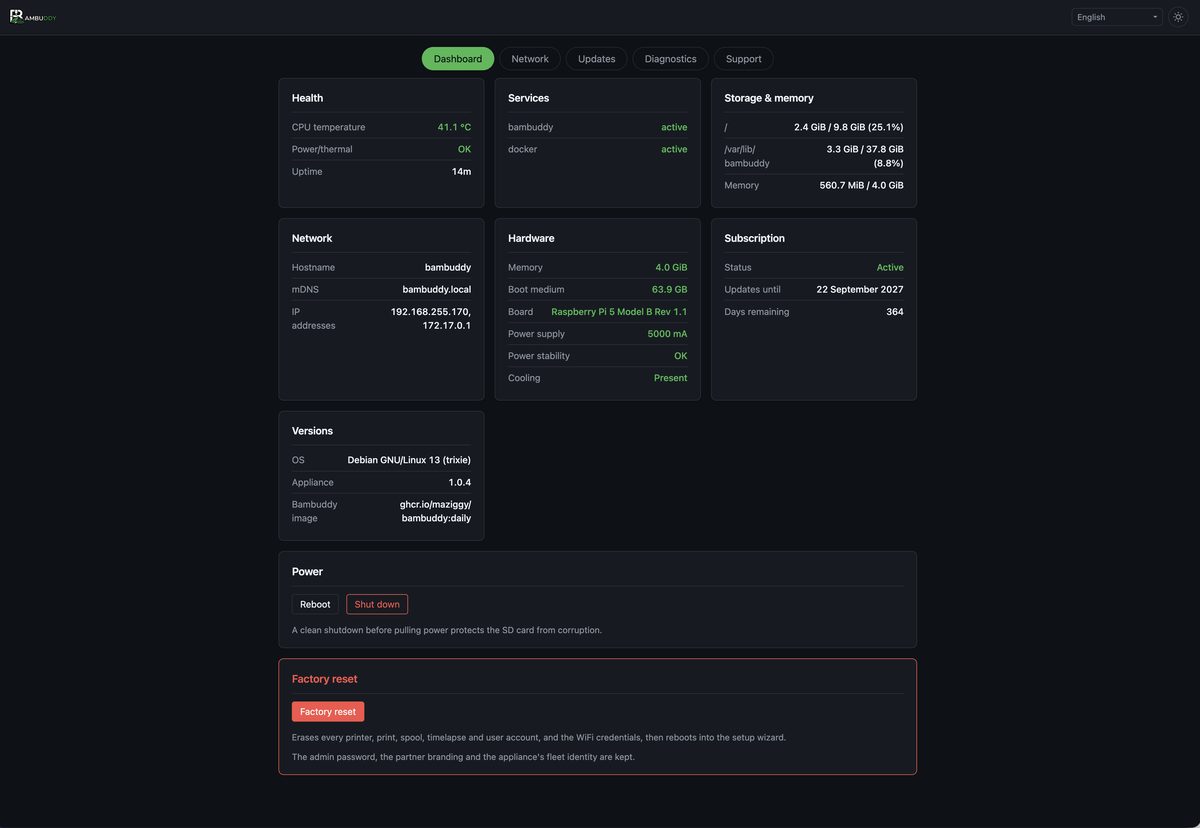
Plus clean reboot and shutdown buttons. Use them rather than pulling power; an SD card interrupted mid-write is the most common way to kill an appliance.
Bambuddy Backup
The backups Bambuddy has saved on the appliance, newest first, each with its date, its size and a Download button. They are the ones Bambuddy writes under Settings → Backup → Scheduled Backups, on the schedule or with Run Now. Until there is one, the card says where to make it.
The panel keeps running when Bambuddy does not, so this is how you get your data off the box when Bambuddy itself will not start — after a failed update, say. Download one before a factory reset or a re-flash, and keep it somewhere other than the appliance: a backup on the same SD card is lost with it.
Your data is never locked away
The card works on a unit whose updates have ended or whose registration was revoked. Updates and management actions stop; your backups stay downloadable.
The containers
The appliance runs two containers: Bambuddy and its PostgreSQL. The Services card shows both, because the services behind them do not answer the question — bambuddy.service reports that Docker Compose was started, which stays true while the database restarts in a loop underneath it. A container that is running but failing its health check is shown as such.
Restart Bambuddy, beside Reboot and Shutdown, restarts the pair. Never one of them: they start in an order, and restarting half a stack leaves Bambuddy talking to a database that is not there yet.
There is no container management here, deliberately
No list of every container, no stop, no remove, no shell. The appliance's whole promise is that there is nothing to operate, and the two screens above answer what an owner actually asks: is it up, and why is it not.
The hardware check
Every boot checks the board, the memory, the card and the power supply against what the appliance is supported on, and the Dashboard carries the verdict.
Findings come in two weights. A warning — undervoltage seen since boot, no cooler — is advisory and changes nothing. A block — a Pi 4, 2 GB of memory, a 32 GB card — means Bambuddy is not started at all, because those faults do not show up as errors: they show up months later as a slow box, a worn-out card, or a lost print history.
You can override a block, and the panel keeps saying so
The banner offers to run anyway. Bambuddy then starts on hardware that is not supported, and the panel goes on showing an amber notice for as long as the override stands — an overridden unit that looks healthy is how an override gets forgotten and its symptoms get reported as Bambuddy bugs a year later.
Network
LAN connection shows the active interface and its addresses.
Secondary IP aliases add extra addresses to the LAN interface — one per virtual printer that needs its own address on your network.
These are added alongside the primary DHCP address. The primary IP, DHCP, and gateway configuration are deliberately never touched here, so there is no way to reconfigure the appliance off its own network from this screen.
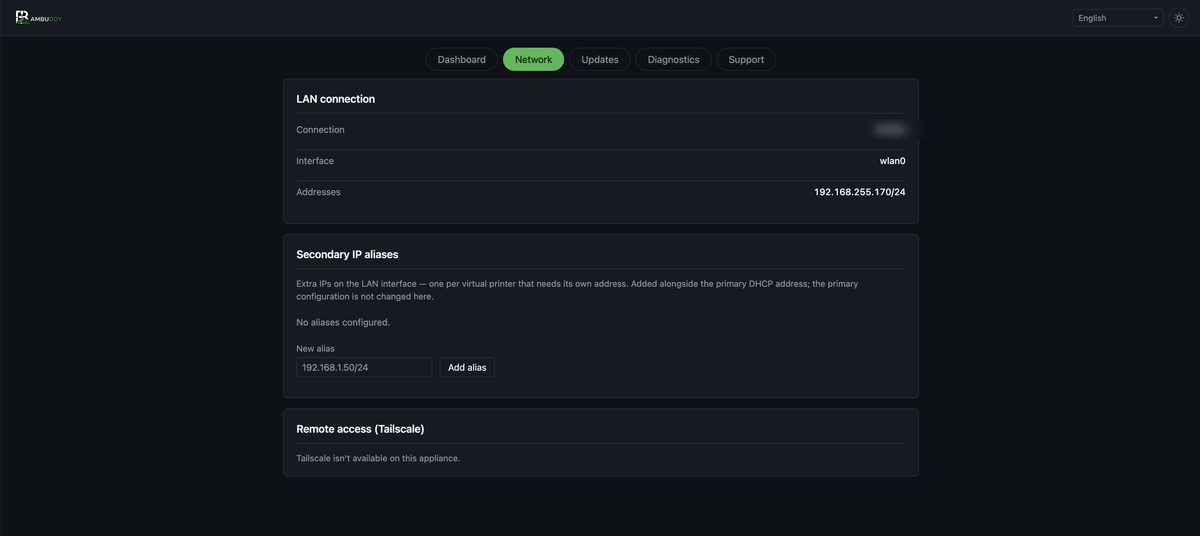
Tailscale signs the appliance into your tailnet so you can reach it — and its virtual printers — from anywhere, without opening a port on your router. The daemon ships enabled but logged out. The panel walks you through it: it runs tailscale up, shows the sign-in URL and a QR code (Tailscale's own page handles first-time sign-up, so no console or API key is needed), then displays the 100.x tailnet address you can paste into a slicer.
Updates
Three independent lanes, each showing its current and latest version.
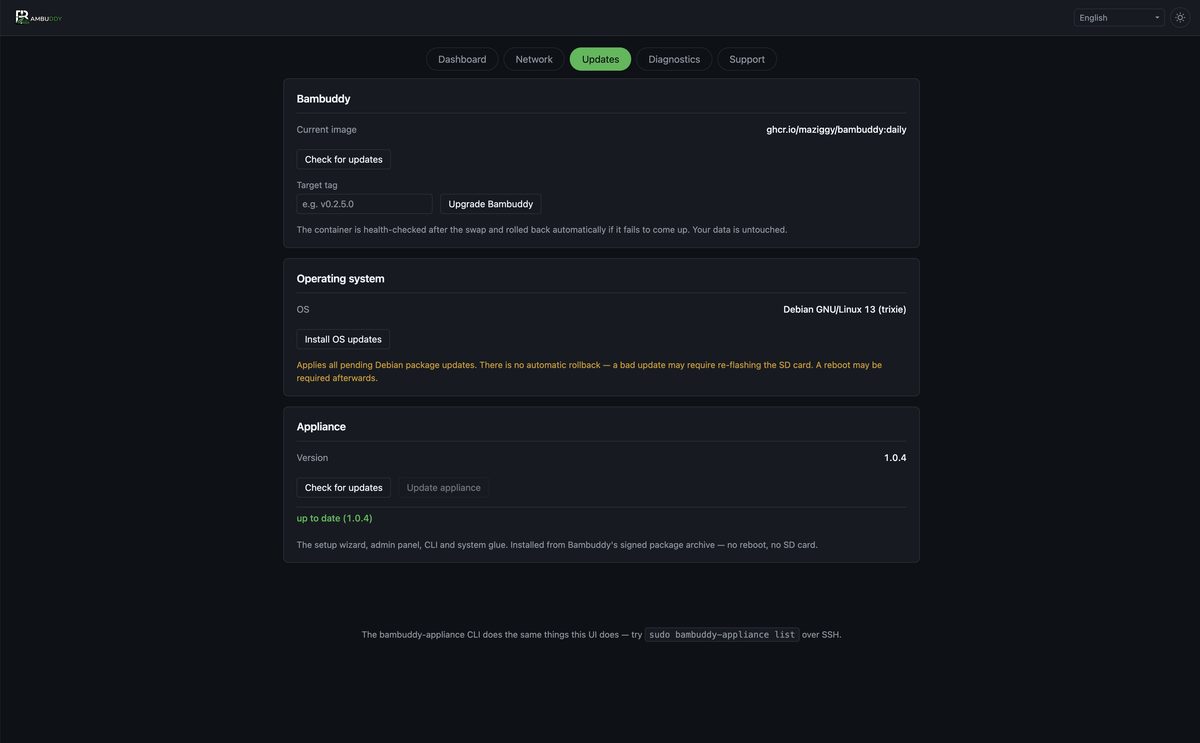
Bambuddy
Pulls the chosen container tag, repins the compose file, starts it, and waits for Bambuddy's health check.
Automatic rollback
If the new version doesn't come up healthy, the appliance puts the previous tag back and restarts it. Your data is never touched by an upgrade — only the container image changes.
Check for updates queries the container registry for the newest release tag and pre-fills the field for you.
The appliance layer
The setup wizard, the admin panel, the CLI, the systemd units and the gate configuration — everything around Bambuddy. Check for updates, then Update appliance, and it is installed in place: no reboot, no SD card.
It is a signed Debian package from Bambuddy's own archive, and the lane health-checks the result the same way the Bambuddy lane does. If Bambuddy stops coming up afterwards, the previous version of the layer is put back.
This lane needs an active licence
The archive serves the package only to a registered appliance whose licence is active. An expired or revoked unit still gets its Debian security updates — that half of the archive is open to everyone — but not the appliance layer. See Registration.
A freshly flashed card also catches itself up once, on its first boot with a network, so a card written from an older image does not start out behind.
Operating system
A Debian package upgrade (apt full-upgrade), with a disk-space and clock preflight.
No rollback on the OS lane
Unlike the Bambuddy lane, an OS upgrade cannot be undone. It refuses to start with less than 1 GB free, warns if the clock isn't synchronised, and tells you when a reboot is required. Take a backup first.
Both lanes
Upgrade jobs run detached from the panel. Closing the browser tab, or even restarting the panel mid-upgrade, does not interrupt them — progress streams to a file the page polls. Reopen the tab and you pick up where you left off.
What still needs a new card
The appliance layer arrives through its own lane, so a re-flash is now for the things below that layer: the kernel, the firmware, and the partition layout. See Updates & Backups for what re-flashing costs you.
Diagnostics
Tail the journal of any core service — Bambuddy, Docker, the admin panel, the setup wizard, or firstboot — or either container's log. The database logs to Docker rather than to the journal, so its startup failures are only readable here.
Both lists are fixed. The panel never passes a caller-supplied name to journalctl or docker logs.
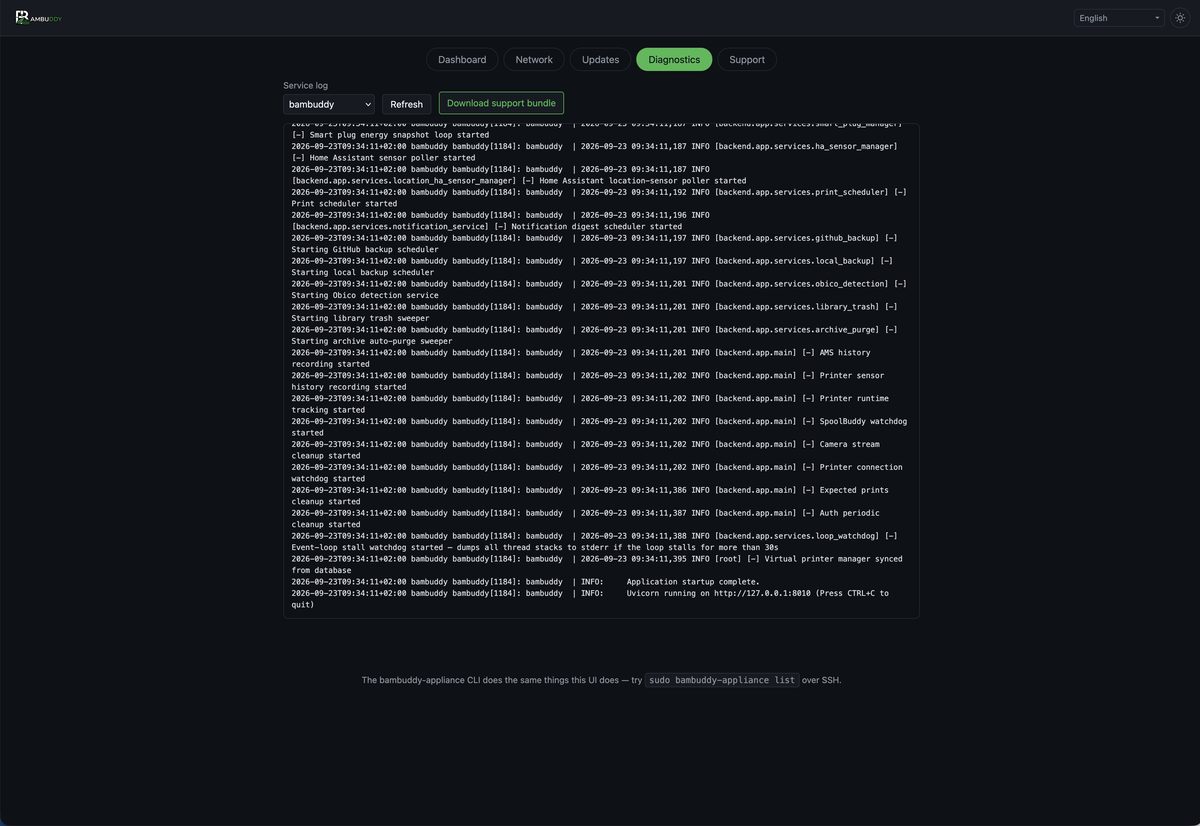
Download support bundle packages the host-side picture into one zip: system facts, per-service logs, both container logs, docker compose ps and docker ps, ip addr and ip route, and the appliance configuration files.
Credentials are stripped
Secret values in bambuddy.env are masked, and the admin password hash and pending WiFi credentials are never included. The bundle is safe to attach to a public bug report.
This is the outside-the-container complement to Bambuddy's own in-app support bundle on the System page. A good bug report usually wants both.
Customising the panel
The page has a light/dark theme toggle and a language picker covering the same ten locales as the setup wizard.
Operator overrides live in /etc/bambuddy/admin.env: