Features
Bambuddy is packed with features to help you manage your 3D printing workflow. Explore them all below.
Printers & Monitoring
Real-time Monitoring
Live printer status, temperatures, print progress, and HMS error tracking via WebSocket.
Camera Streaming
MJPEG live video streaming and snapshots from your printer's built-in camera.
AMS & Humidity
Monitor AMS slot status, humidity levels, and temperature with historical charts.
Printer Control
Chamber temperature, light control, fan settings, and AI detection modules.

Print Archive
Print Archiving
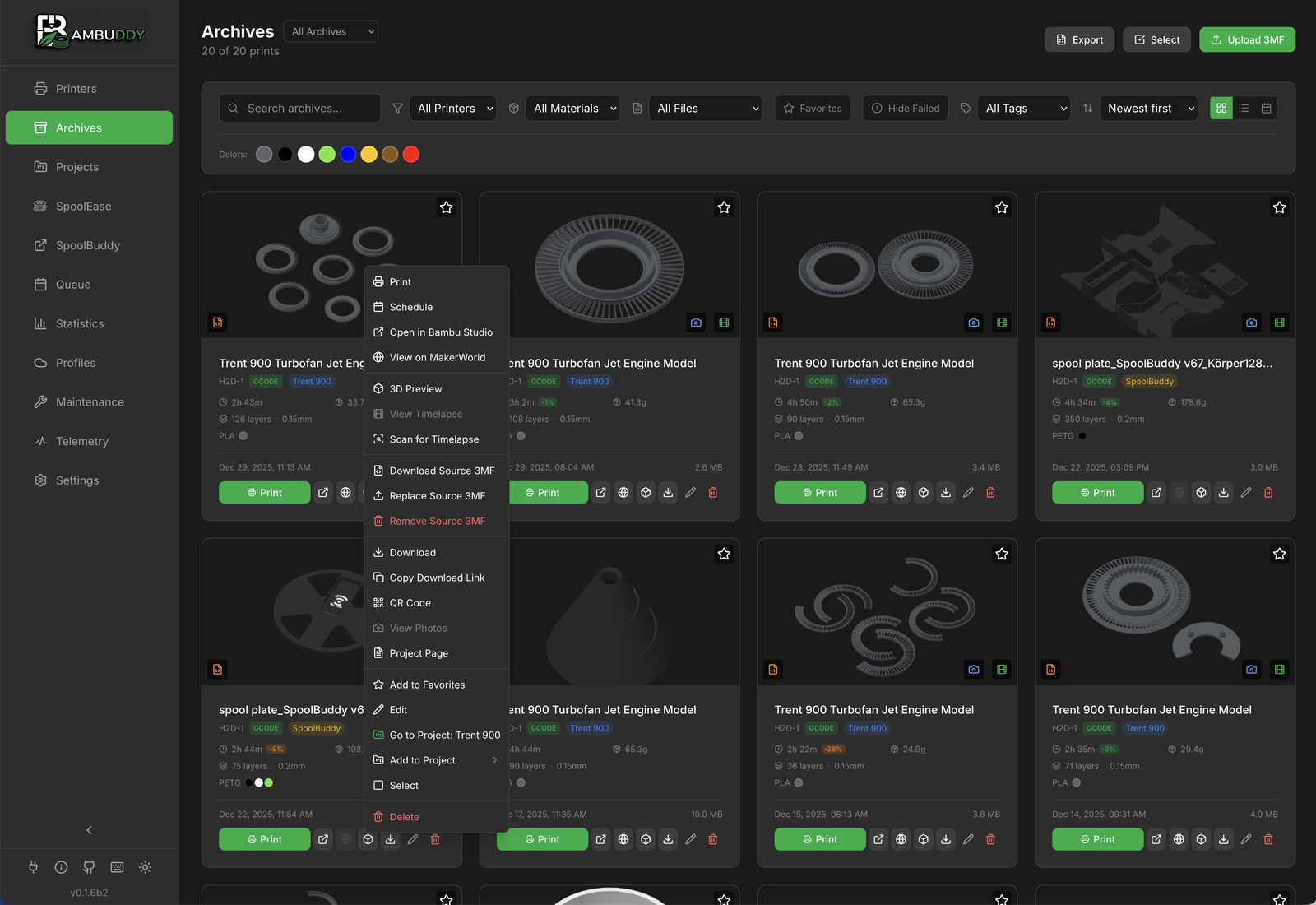
Automatic 3MF archiving with metadata extraction, 3D preview, and duplicate detection.
Full-Text Search
Fast FTS5 search across print names, filenames, tags, notes, designer, and filament.
Archive Comparison
Compare 2-5 archives side-by-side with highlighted setting differences.
Analytics
Statistics Dashboard
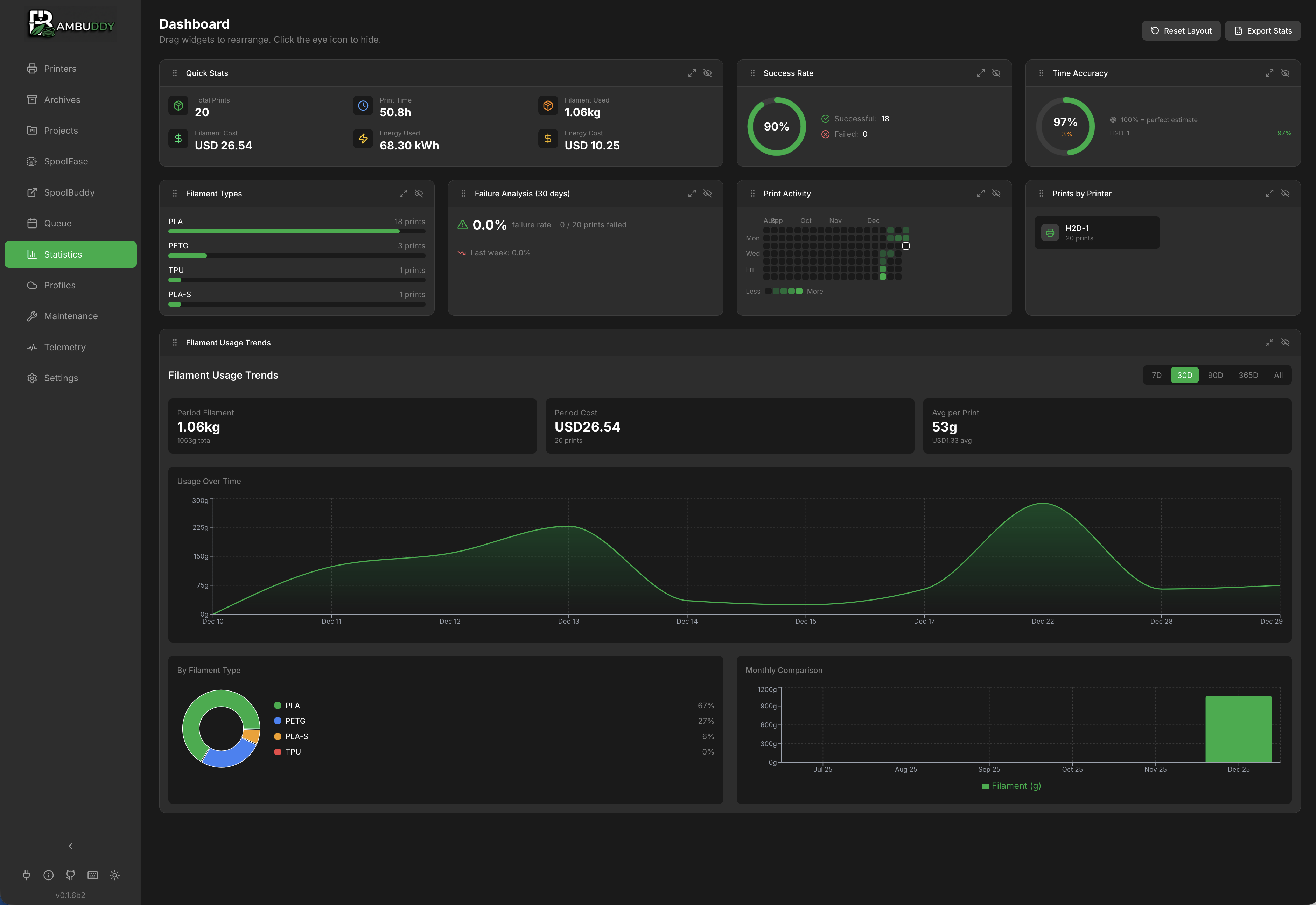
Customizable drag-and-drop widgets for success rates, filament usage, costs, and more.
Failure Analysis
Correlate failures with conditions to identify patterns and improve reliability.
Energy Tracking
Track power consumption per print or cumulative, with cost calculations.
Automation
Print Queue
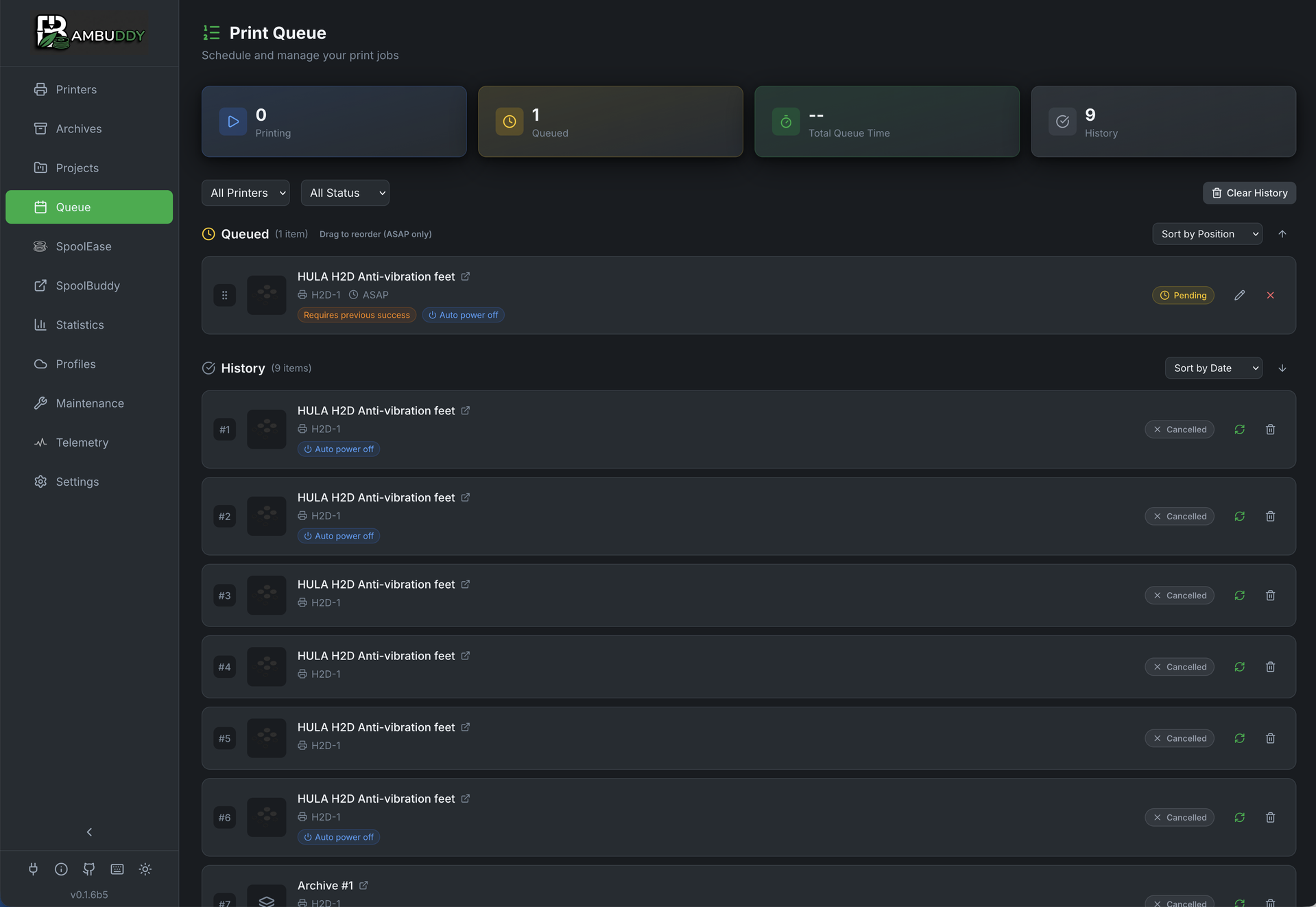
Queue prints with drag-and-drop ordering, scheduled start times, and automation.
Smart Plugs
Tasmota and Home Assistant integration for auto power-on before print and power-off after cooldown.
Virtual Printer
Emulate a Bambu printer on your network to send prints directly from your slicer.
Notifications
Multi-provider alerts via WhatsApp, Telegram, Discord, Email, and more.
Integrations
:material-spool-outline: Spool Inventory
Built-in spool tracking with AMS slot assignment, automatic usage tracking, and remaining weight management.
:material-spool: Spoolman
Sync filament inventory with Spoolman for complete spool tracking.
Cloud Profiles
Manage Bambu Cloud slicer presets and compare template differences.
Local Profiles
Import OrcaSlicer presets without Bambu Cloud. Supports .orca_filament, .bbscfg, .bbsflmt, .zip, and .json exports.
K-Profiles
Pressure advance settings management for optimal print quality.
API Keys & Webhooks
REST API with granular permissions for external integrations.
External Links
Add custom sidebar links to external tools and resources.
MQTT Publishing
Publish events to external MQTT brokers for Home Assistant and Node-RED.
Prometheus Metrics
Export printer telemetry for Grafana dashboards and monitoring systems.
Maintenance & Security
Maintenance Tracker
Schedule and track maintenance tasks with interval reminders.
File Manager
Browse and manage files on your printer's internal storage.
Backup & Restore
Full database backup and restore for data protection. GitHub backup for automatic cloud profile sync.
System Info
View database statistics, system resources, and generate support bundles.
Authentication
Optional user authentication with role-based access control. Advanced Auth via Email for automated user onboarding and self-service password resets.
Pro Tips
Keyboard Shortcuts
Press ? anywhere to see available keyboard shortcuts. Navigate between pages with number keys 1 through 5.
Context Menus
Right-click (or long press on mobile) on cards for quick actions like re-print, compare, or delete.
Customizable Themes
Bambuddy offers extensive theme customization with separate settings for dark and light modes:
- Style: Classic (clean shadows), Glow (accent-colored glow), Vibrant (dramatic shadows)
- Background: Neutral, Warm, Cool + dark-only options (OLED, Slate, Forest)
- Accent Colors: Green, Teal, Blue, Orange, Purple, Red
Mix and match any combination in Settings → Appearance.