Storage Locations
Use Storage Locations to name the physical places where spools live when they are not loaded in the AMS — shelves, drawers, dryboxes, and similar spots. Bambuddy keeps a catalog you can manage from Inventory → Locations, assign from the spool form, and filter on the inventory page.
Location vs Storage Location
Bambuddy uses two different "location" concepts:
| UI label | Meaning |
|---|---|
| Location (inventory table column) | AMS slot or printer assignment (e.g. H2D-1 B4) |
| Storage Location | Physical shelf, drawer, or drybox where the spool is stored when not in the AMS |
| Locations page | Catalog of named storage spots with spool counts |
The Locations page is only for physical storage. AMS/printer slot assignment is unchanged — see AMS Slot Assignment on the Spool Inventory page.
Locations Catalog
Open Inventory → Locations to view, add, rename, or delete storage spots.
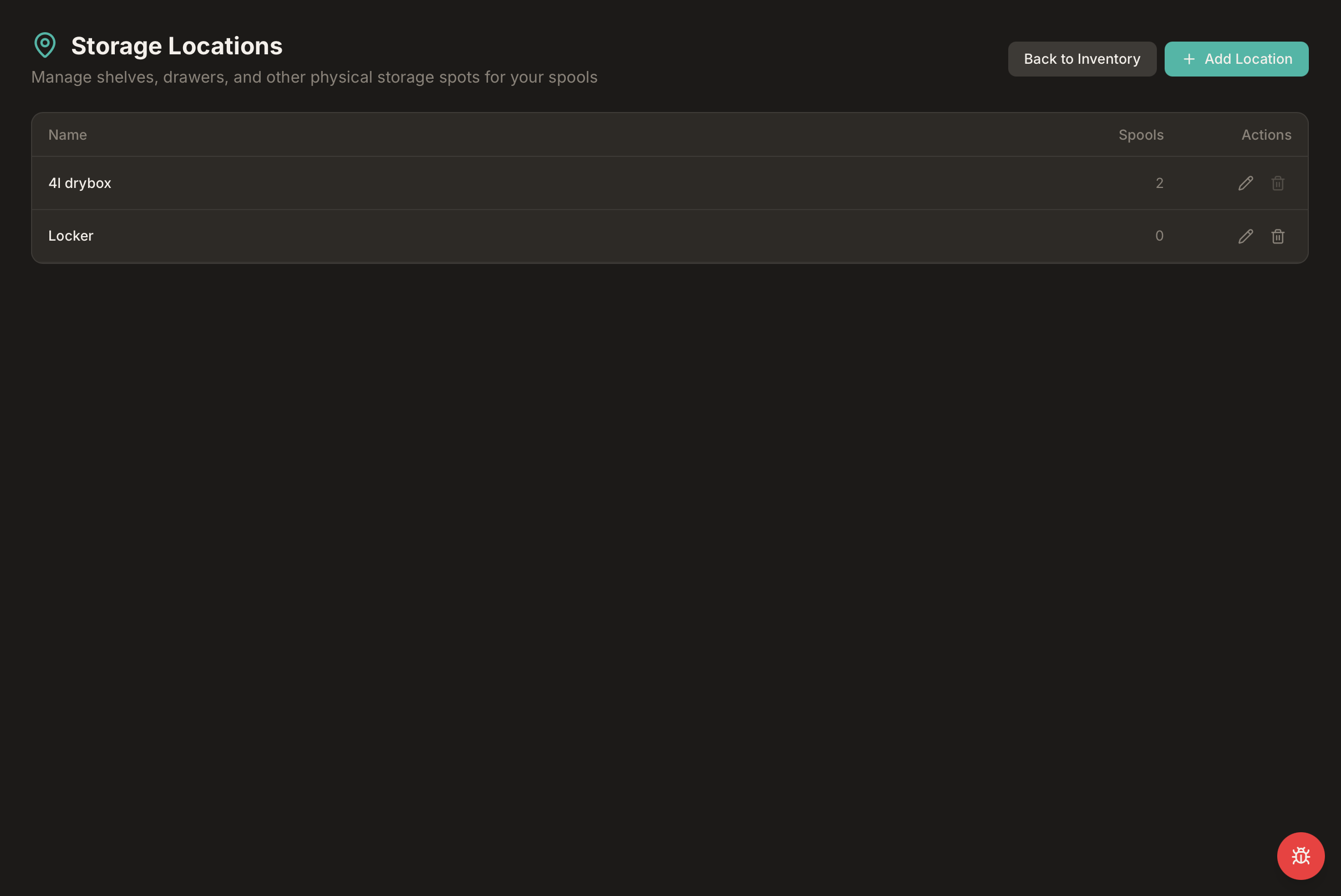
Each row shows:
- Name — the label you chose (e.g.
4l drybox,Locker,Shelf A) - Spools — how many active spools are assigned to that spot
- Actions — edit or delete the location
Click + Add Location to create a new entry. Names must be unique (case-insensitive — Shelf A and shelf a count as the same name).
Filter inventory from a location
Click a location name in the table to jump to the inventory page filtered to spools stored there.
Filter by Storage Location
On the Spool Inventory page, use the Storage Location filter chip to narrow the list to one shelf or drawer.
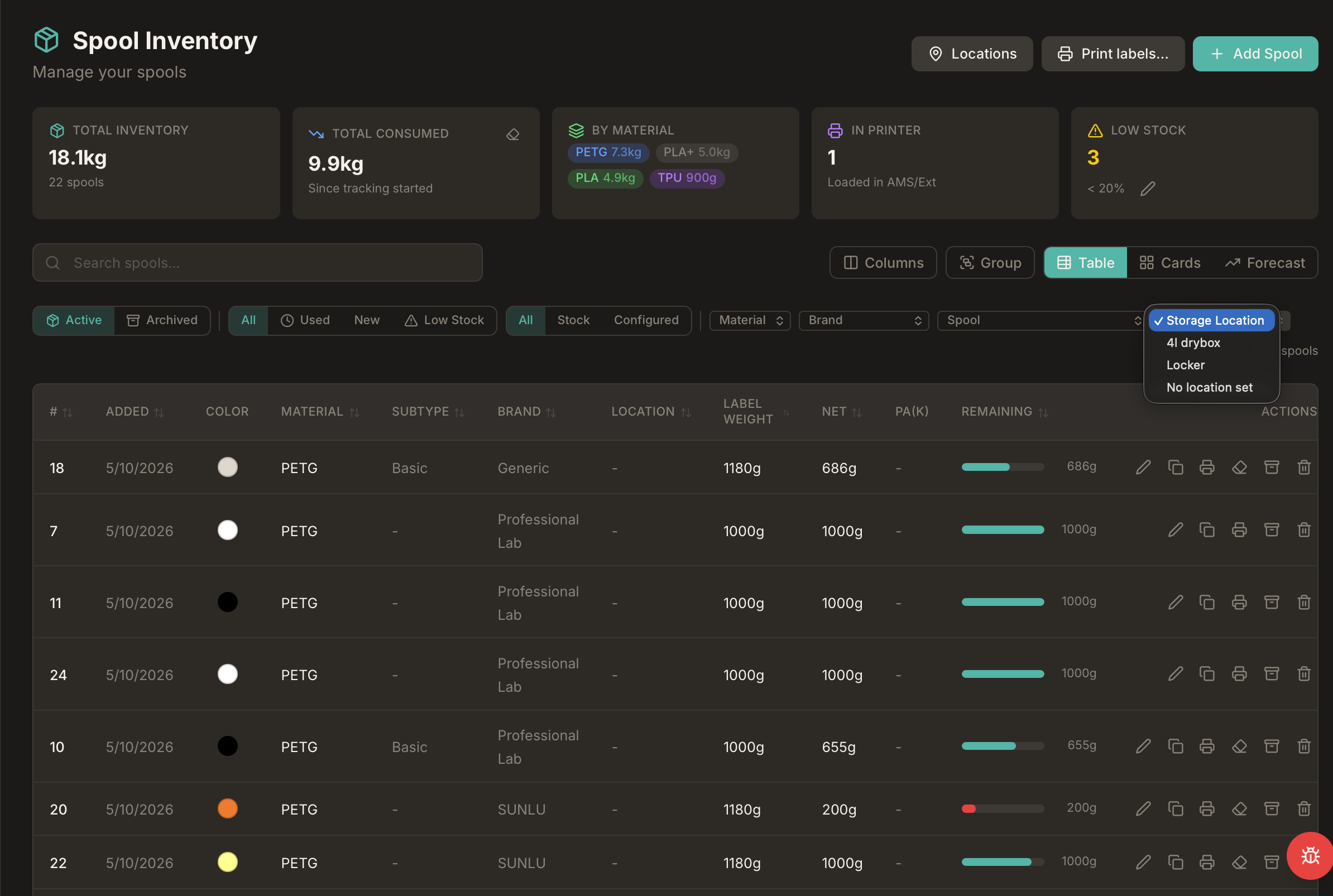
The dropdown lists every location in your catalog, plus No location set for spools without an assignment. The chip stays hidden until at least one spool has a storage location, so fresh installs are not cluttered.
You can also deep-link directly, for example: /inventory?location_id=2.
Assign a Storage Location
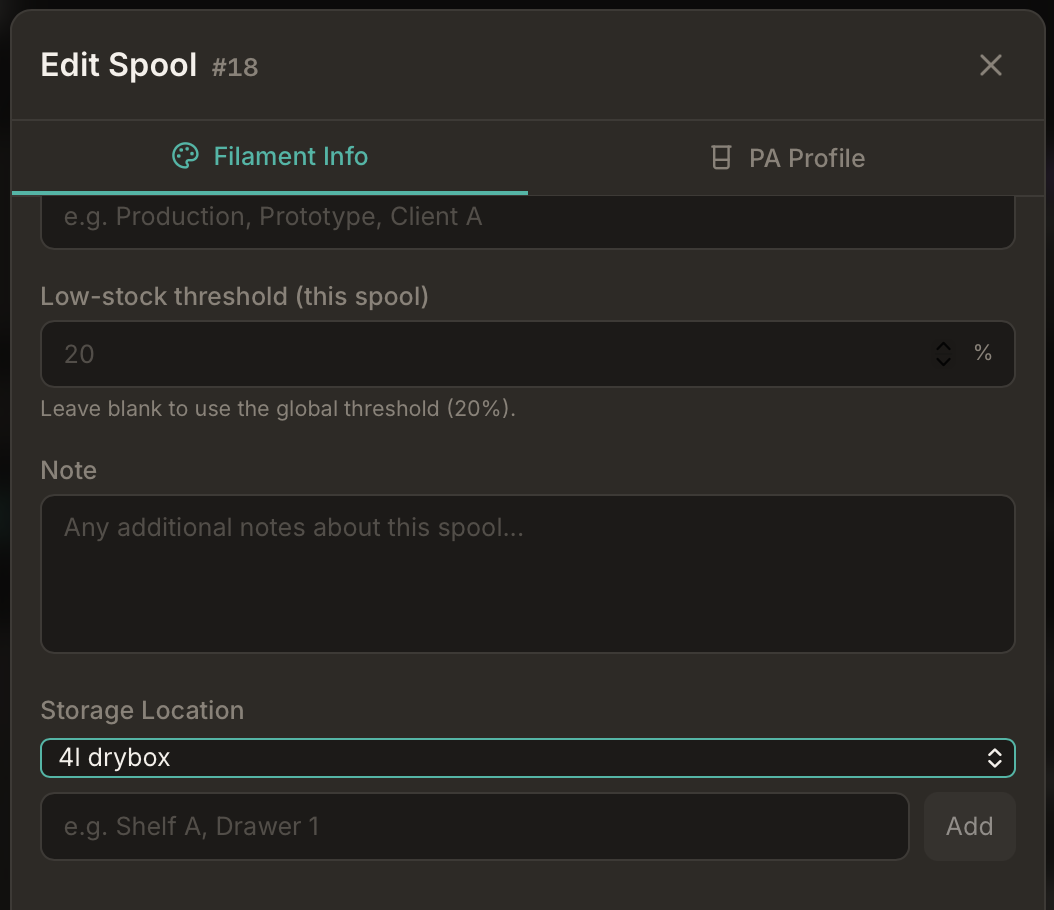
When adding or editing a spool, open the Additional section and pick a Storage Location from the dropdown. You can also type a new name and click Add to create a location on the fly without leaving the form.
Labels and QR codes
The storage location name appears on box-label and Avery label templates (see Printable Labels). It is omitted from the compact AMS-holder template because of size limits.
Upgrade from Free-Text Locations
If you already used the free-text Storage Location field before this feature, Bambuddy imports those values into the catalog automatically on upgrade. Duplicate names are merged case-insensitively, and existing spools are linked to the matching catalog entry.
You do not need to re-enter locations manually after updating.
Spoolman Integration
When Spoolman is enabled, Bambuddy still keeps a local storage-location catalog in the native inventory UI:
- Assigning a storage location writes the location name to Spoolman's
locationfield for that spool - Listing locations can sync distinct names from Spoolman into the catalog
- Renaming a location in Bambuddy bulk-renames matching spools in Spoolman
Two location fields in Spoolman
Spoolman's location field holds the physical storage name you set in Bambuddy. AMS slot strings (e.g. Workshop X1C - AMS A Slot 1) are managed separately by AMS sync — see Spoolman Integration.
Home Assistant Sensors
Bind a Home Assistant temperature, humidity, or battery sensor to this location to show live readings on the filament card and in the inventory table, with configurable alert thresholds and notifications — see Sensors → Storage Location Sensors for the full guide.
Tips
Start with your real shelves
Add the places you actually use — Drybox 1, Office shelf, Garage drawer — then assign spools as you inventory them.
Find spools fast
Use the location filter before a print session to see everything stored in one drybox or drawer.
Keep names short
Shorter names fit better on printed labels and filter chips.