Daily use
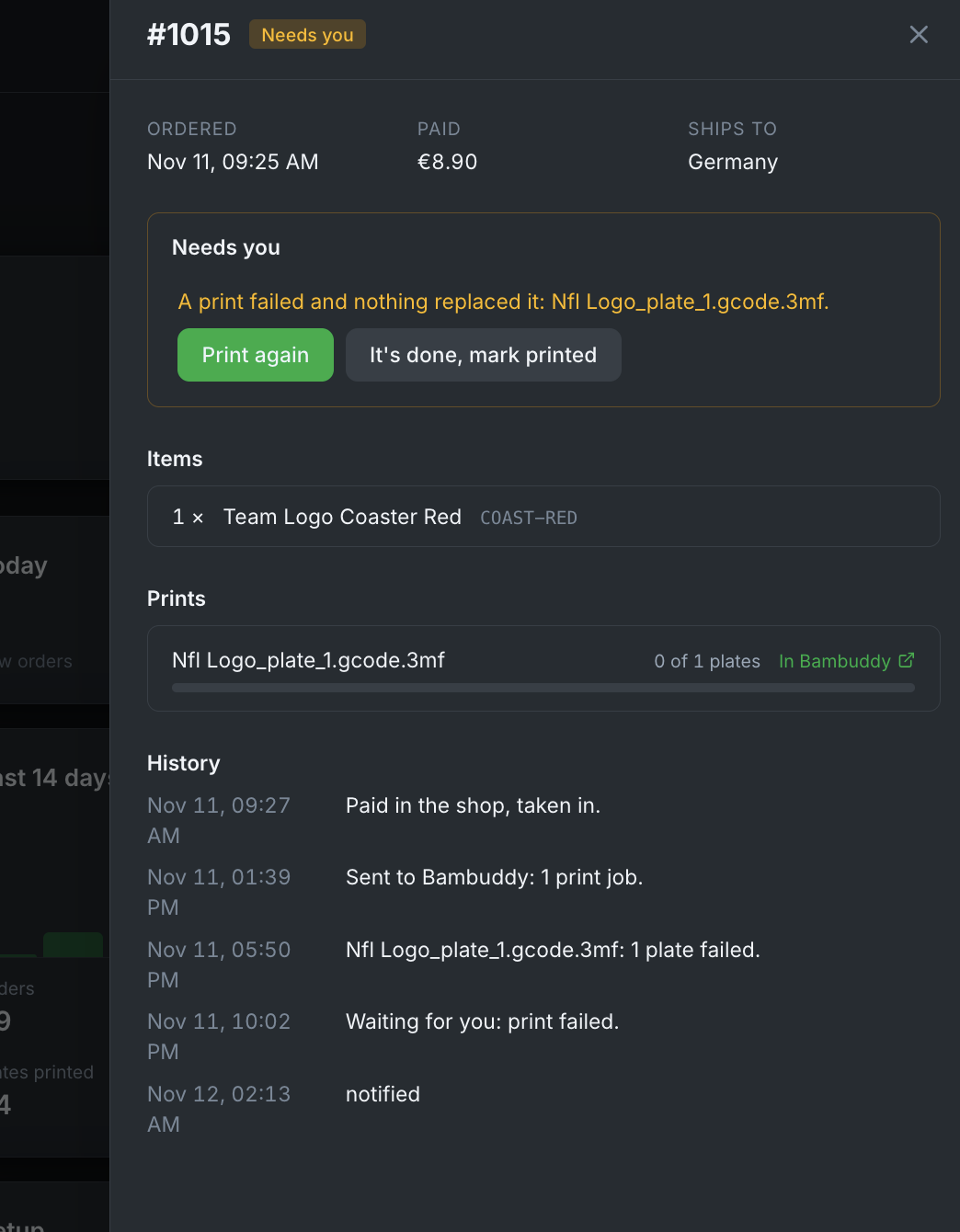
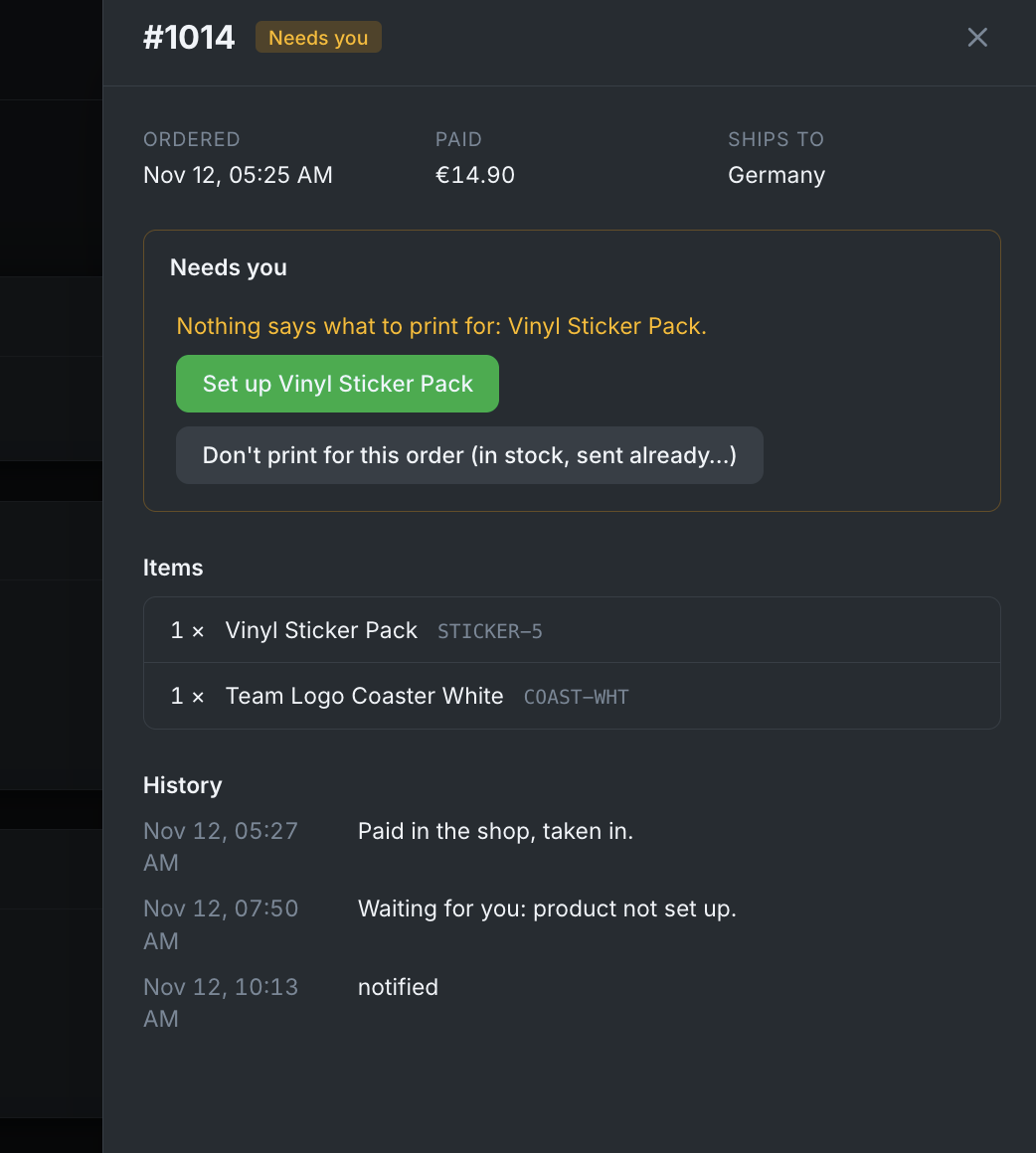
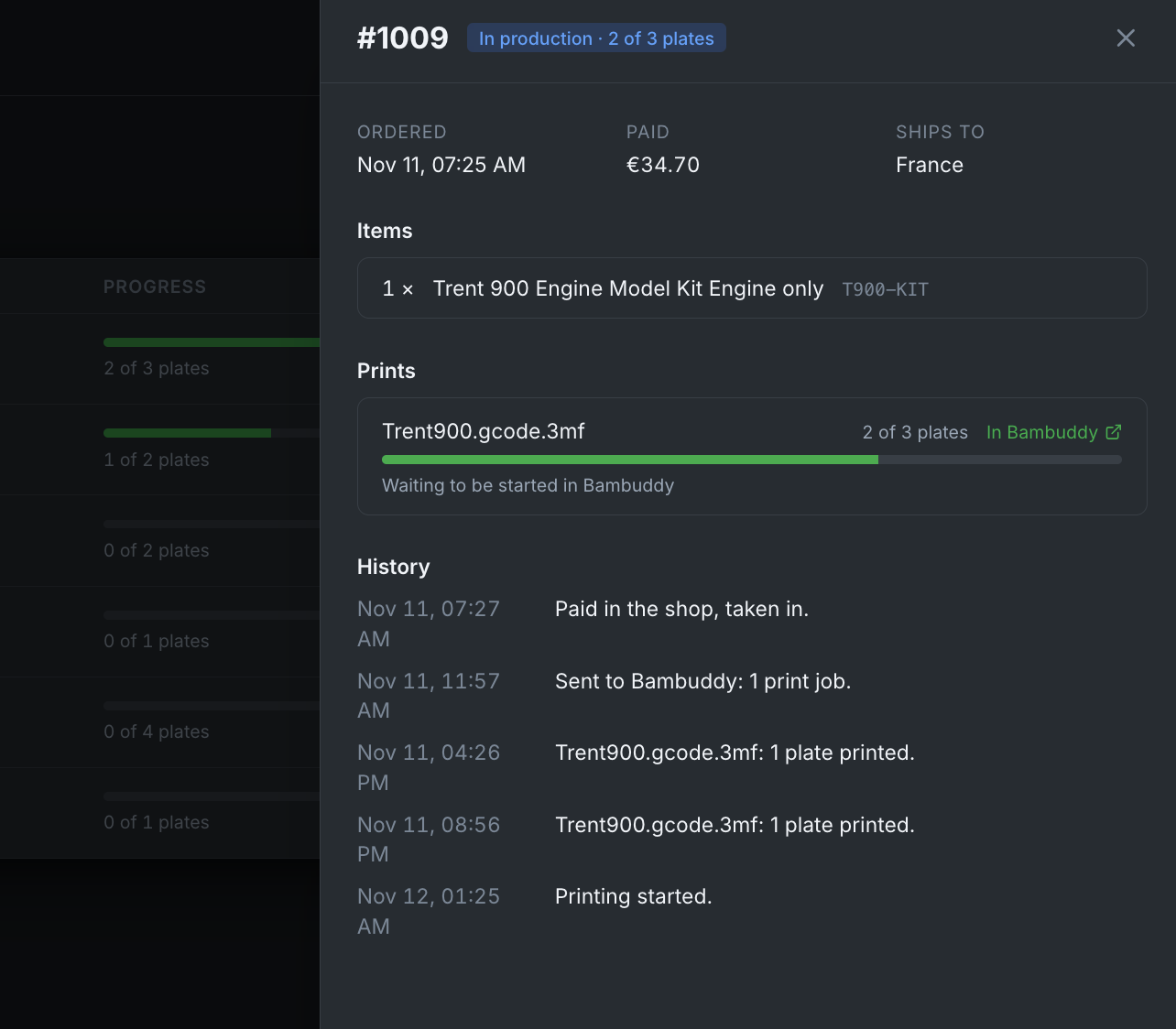
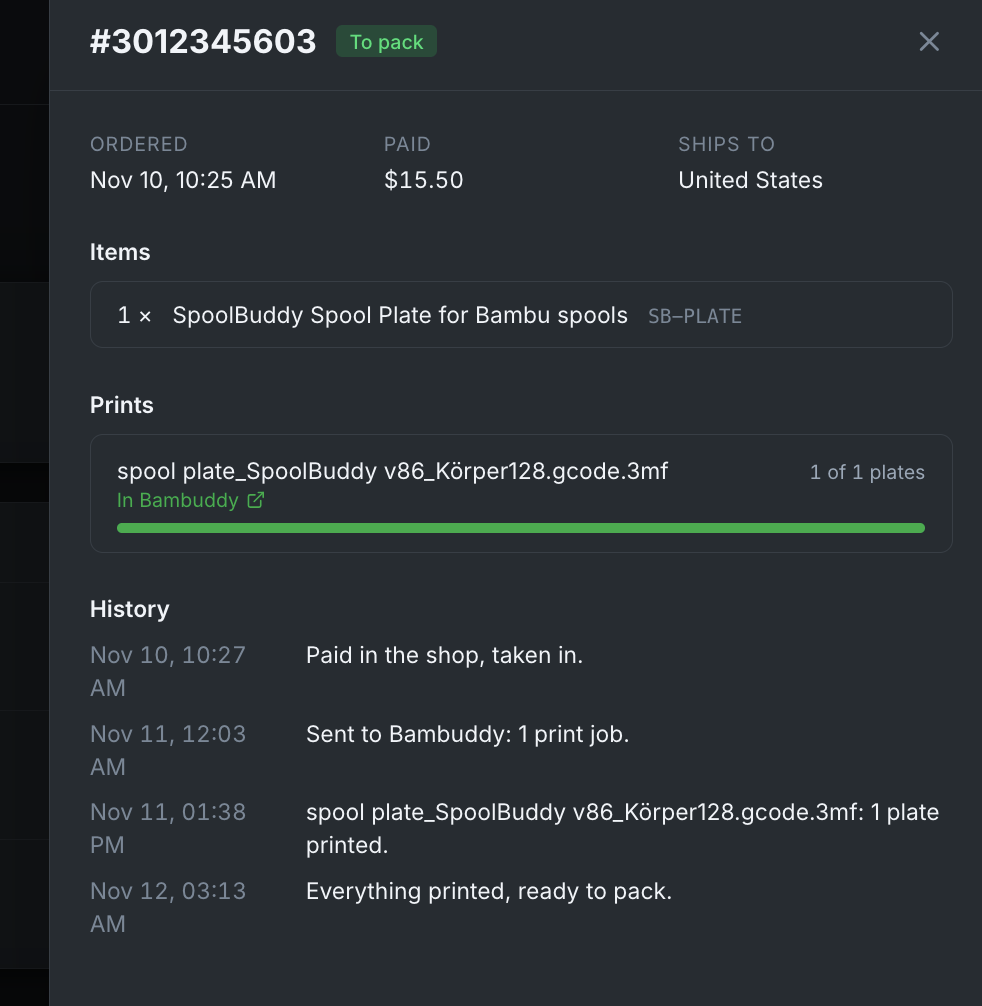
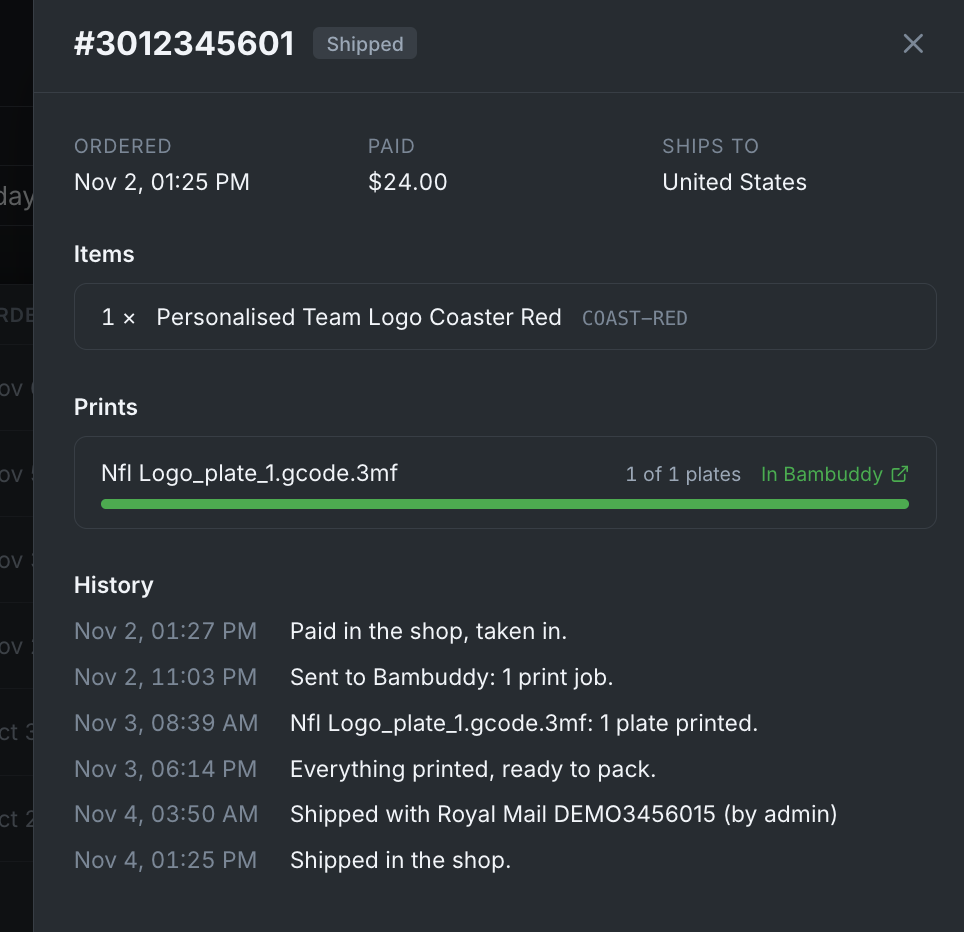
Orders is organised by what happens to an order next. Every order has a ship-by day and turns red when it is late. Clicking an order on any page opens its details: what was paid and where it ships, its items, its prints in Bambuddy and its history.
The pages
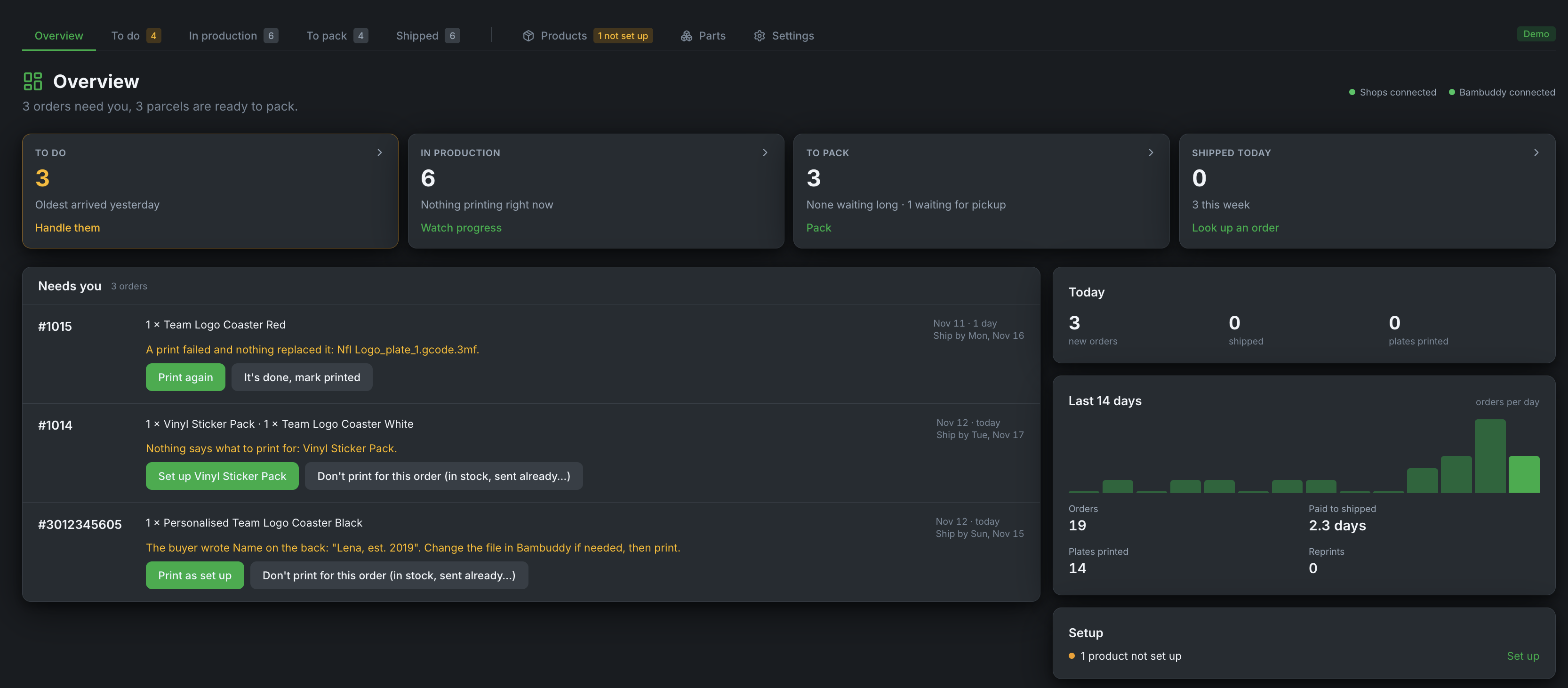
Overview
What needs you, what is printing, what is ready to pack.
To do
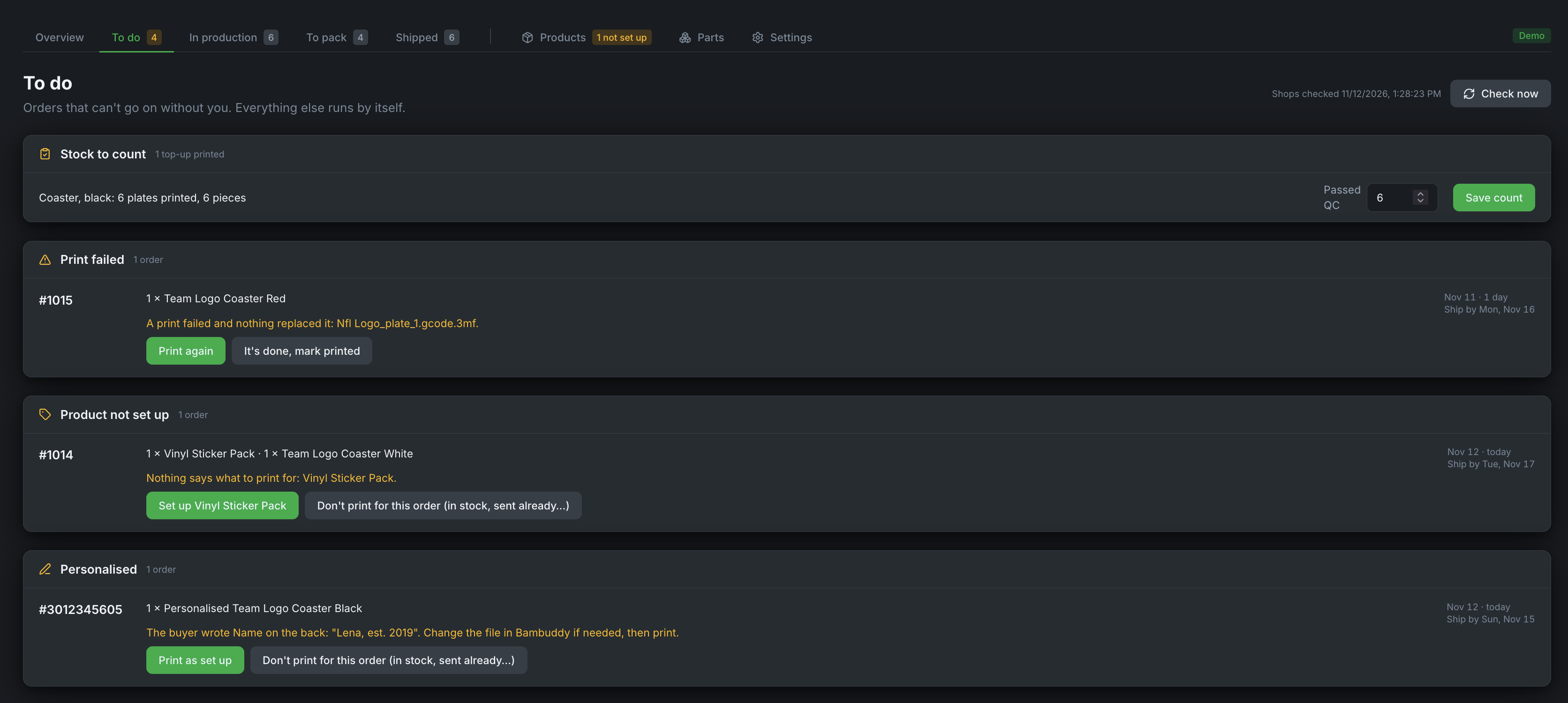
Orders that need a decision: not set up, personalised, print failed, a Bambuddy error. Each has its fix right there. Finished top-ups wait here under Stock to count.
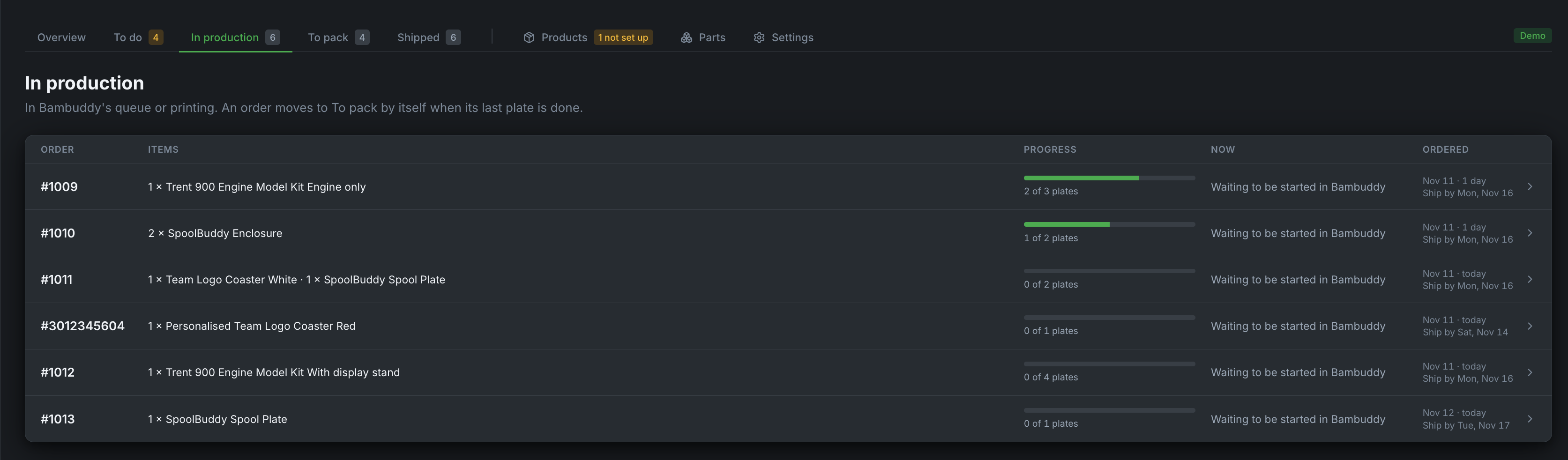
In production
Live print progress from Bambuddy.
To pack
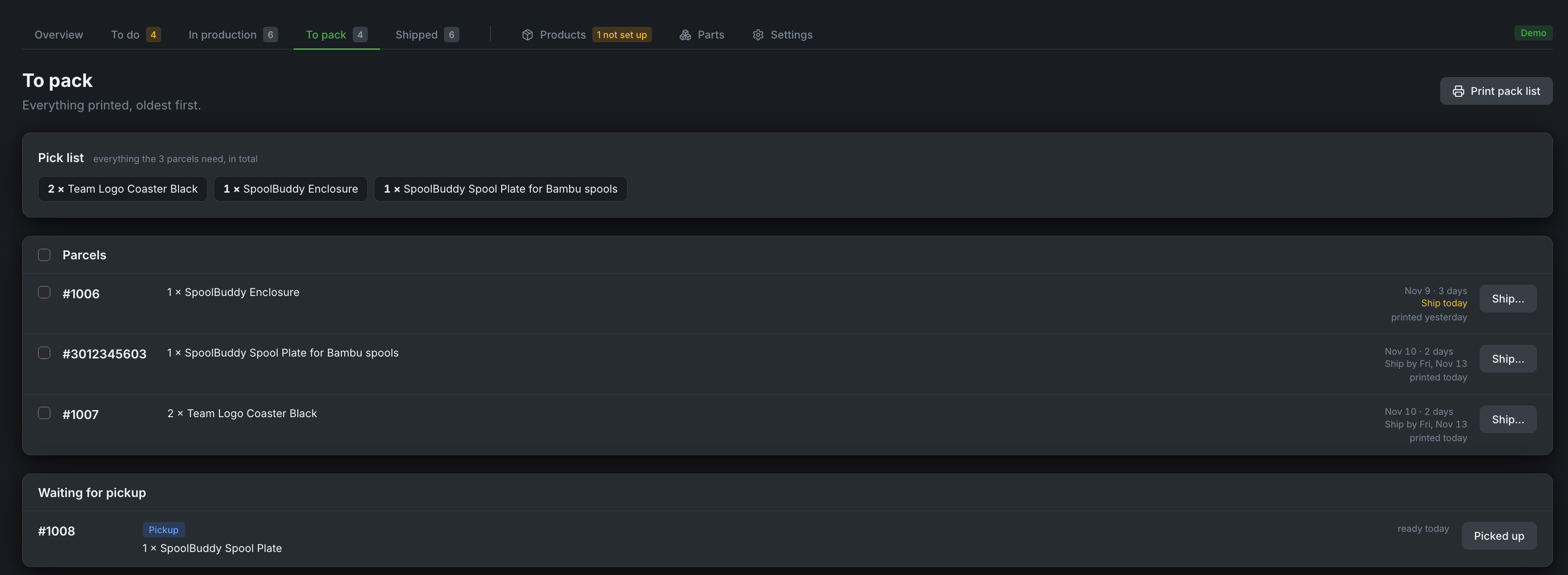
Printed orders with a pick list and a printable pack list. Tick them, press Ship, choose the carrier and enter the tracking numbers. The shop marks them fulfilled; Shopify emails the buyer if you leave notify on, Etsy always does.
Local pickup orders (Shopify) are marked "Pickup", and "Pay at pickup" while unpaid, and have no Ship button. Ready for pickup tells Shopify, which emails the buyer; the order then waits under "Waiting for pickup" until you press Picked up. A buyer who is already there can be handed the order with Picked up straight away.
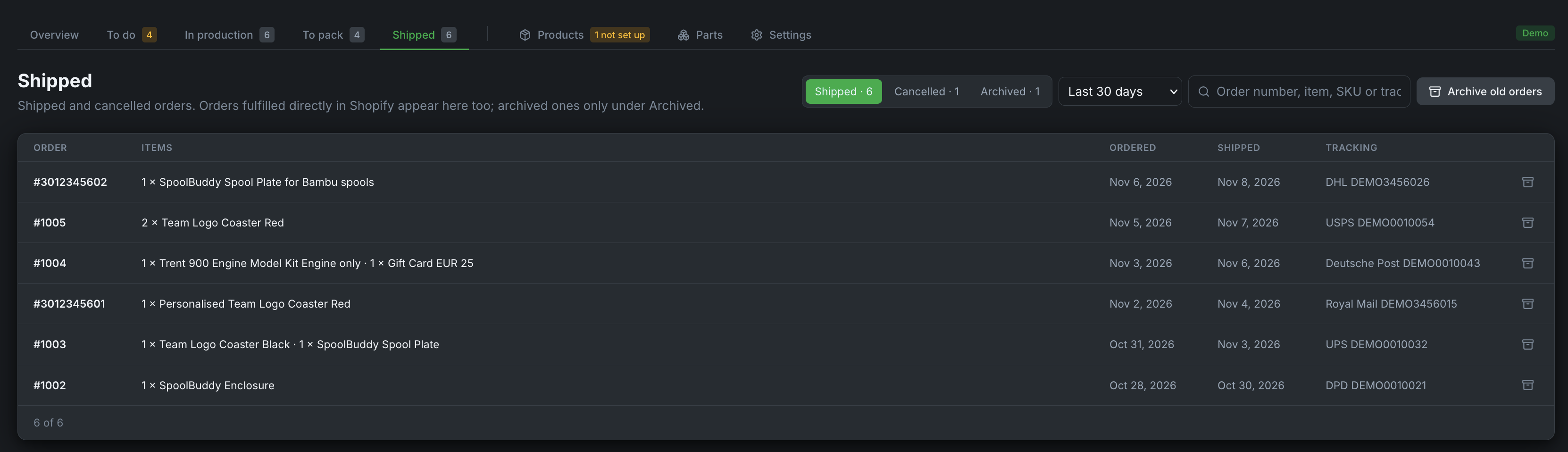
Shipped
Shipped and cancelled orders with tracking links, for the last 30 days, 90 days, year or any time, searchable by order number, item, SKU or tracking number.
Archive puts a finished order away; Archive old orders does it for every order finished more than 30, 90, 180 or 365 days ago. Archived orders are never deleted: they stay under Archived, searchable, and Bring back returns one.
Products and Parts
See Products and stock.
Settings worth knowing
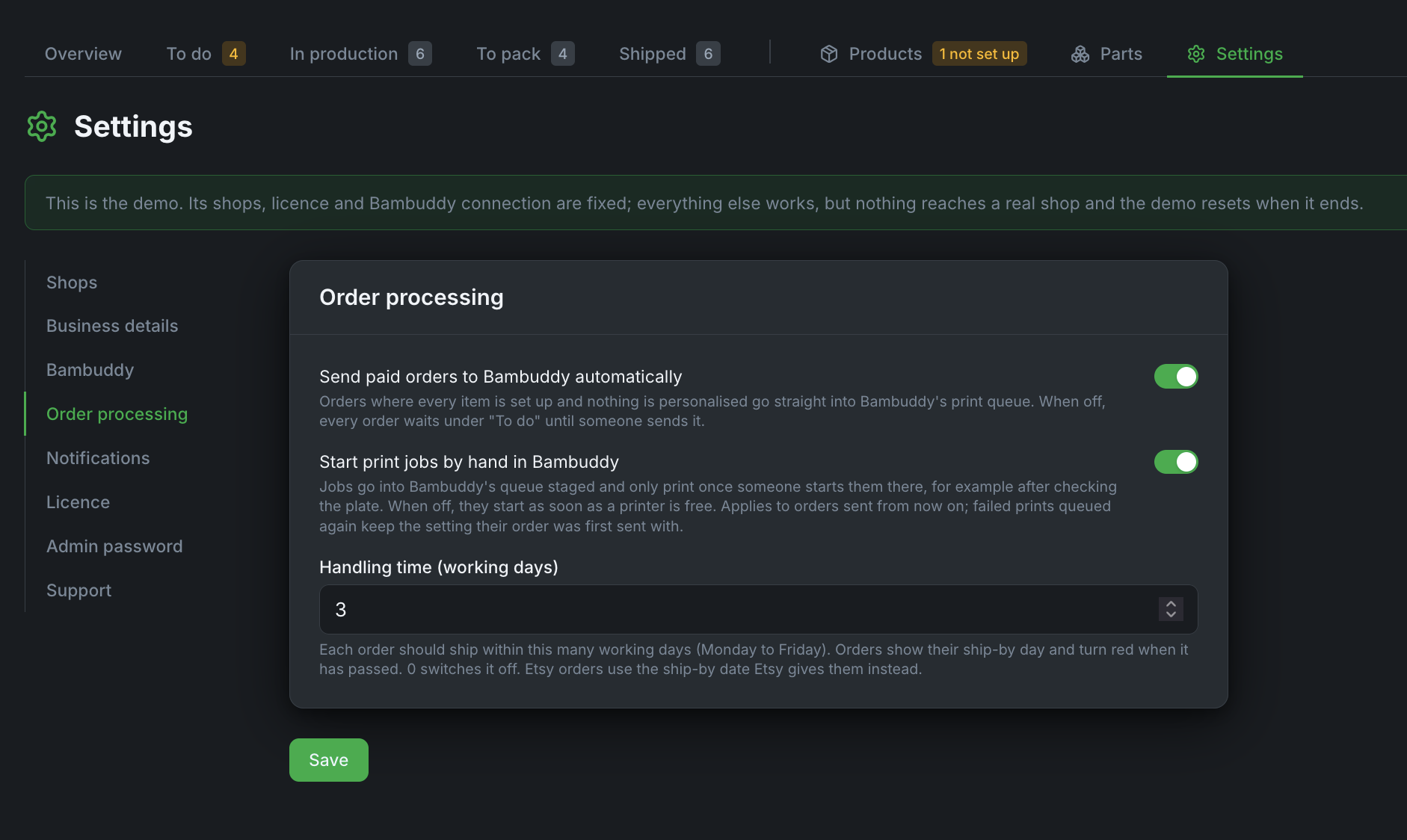
- Order processing → Send paid orders automatically: off means every order waits in To do until you press Send. Keep it off for your first days, until you trust your setups.
- Order processing → Start print jobs by hand in Bambuddy: on means the jobs land in Bambuddy's queue staged and wait until someone starts them there; In production shows "Waiting to be started in Bambuddy". Off, the default, starts them as soon as a printer is free.
- Order processing → Handling time: working days until a Shopify order should ship, which sets its ship-by day. The default is 3; 0 switches it off. Etsy orders use the ship-by date Etsy gives them, from your listings' processing times.
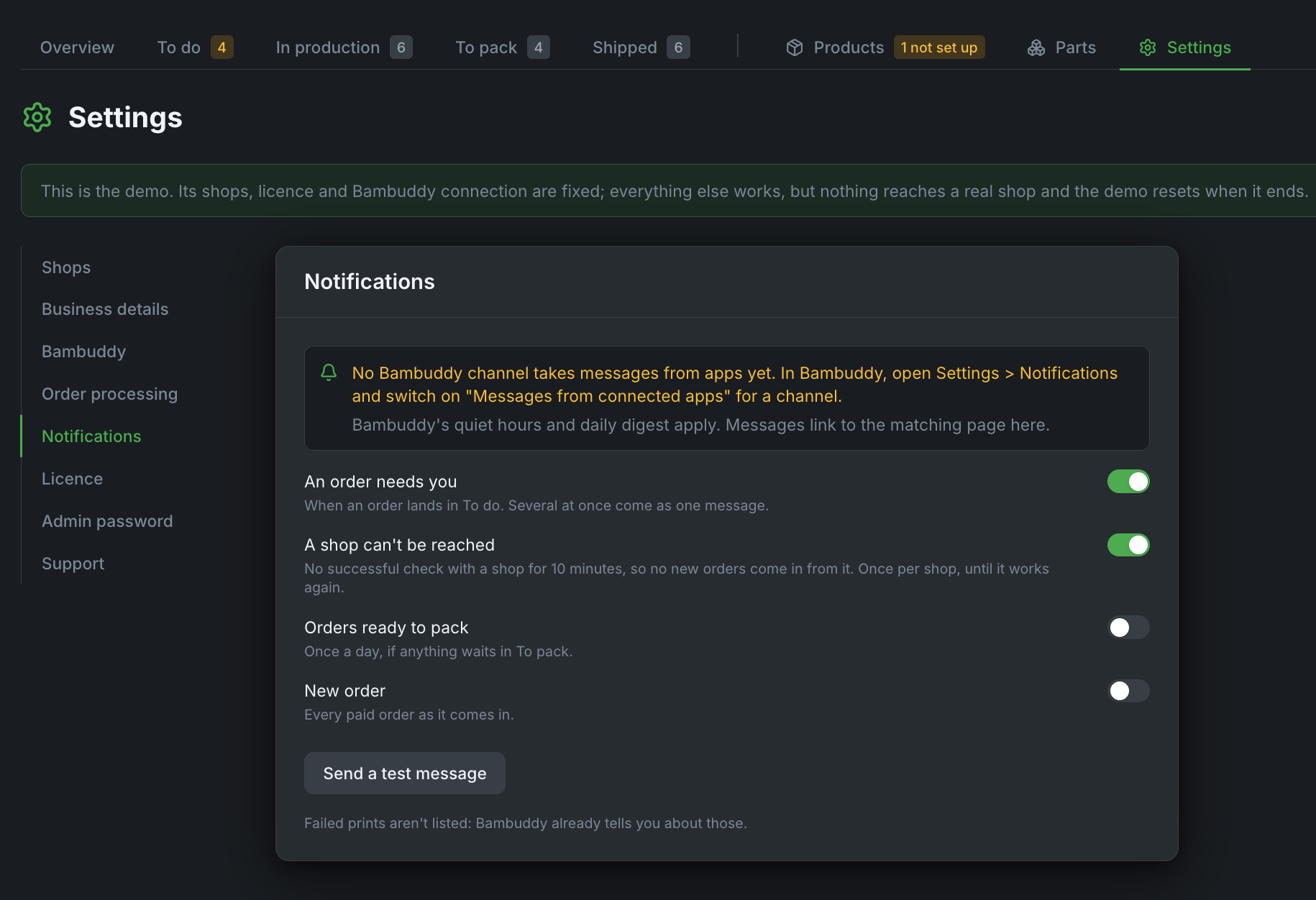
- Notifications: which events reach your phone through Bambuddy's notification channels: orders that need you, a shop that can't be reached, the daily pack list, new orders. In Bambuddy, switch on Messages from connected apps for those channels.
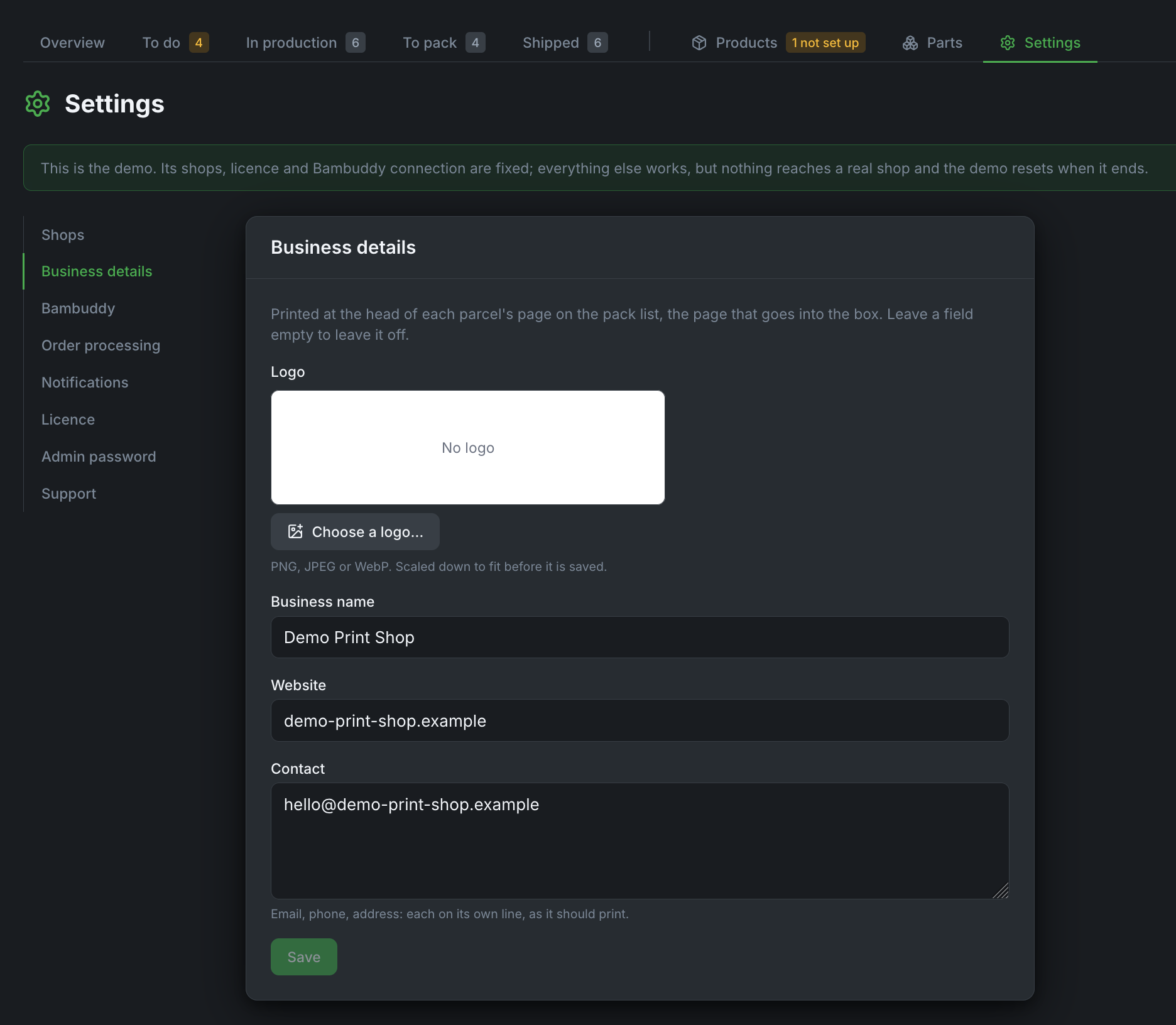
- Business details: your logo, business name, website and contact, printed at the head of each parcel's page on the pack list. Leave a field empty to leave it off.
Orders inside Bambuddy
Add Orders to Bambuddy's sidebar: in Bambuddy, Settings → Sidebar Links → External links, with Orders' address. Orders then opens inside Bambuddy, and the link shows how many orders and top-ups wait in To do (the API key needs Send notifications).
Note
Open Bambuddy by the same address you entered in Orders' setup. For safety, Orders refuses to be shown inside any other site, so a different host name or IP address leaves the frame empty.