Products and stock
Orders prints an order only when it knows what to print for each item. That is a product's setup, made once per variant under Products.
Setting up a product
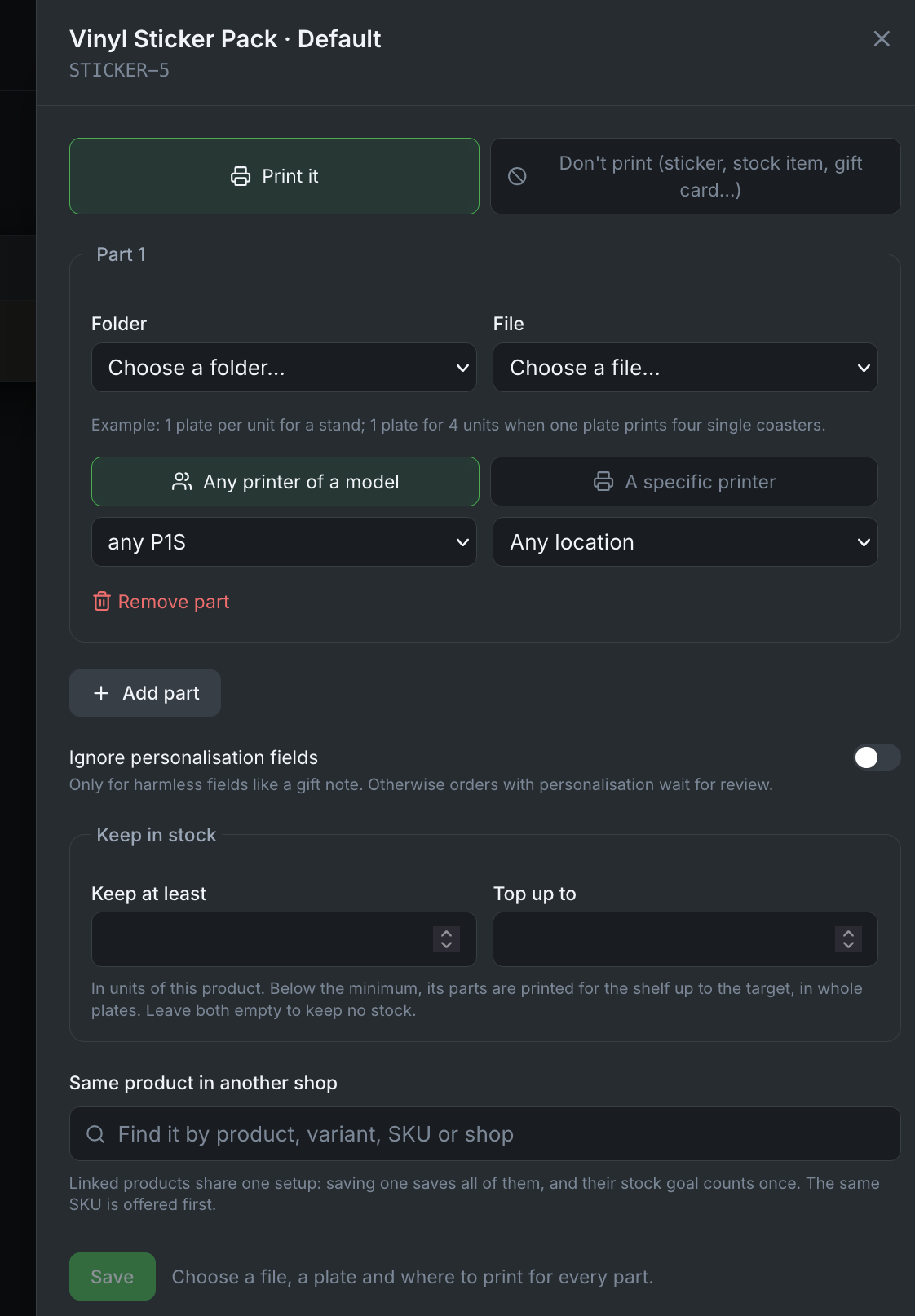
For each variant you sell, choose:
- the print file from Bambuddy's library,
- the plate in it,
- how many units a plate holds, or how many plates one unit needs.
Files named like the variant's SKU are suggested automatically. Search finds a product by title, variant title or SKU; Products shows 50 at a time.

Products deleted in your shop are listed apart under Removed from shop, where their setups can still be looked at or removed.
Items you don't print
- Don't print, set in the product's setup, is for items you never print: stickers, gift cards, items always sold from stock.
- Don't print for this order, on an order in To do, is for one order whose item you have on hand. The order moves on to To pack; the product is not changed.
Personalised items, and items without a setup, always stop in To do for you.
The same product in two shops
A product sold in Shopify and on Etsy is two products in Orders. Link them, and one setup serves both:
- In a product's setup, Same product in another shop offers the variant with the same SKU first, and a search finds the rest.
- In a variant not set up yet, Use the setup of ... takes over the setup of its twin, which stays as it is.
- The suggestions on Products also offer the link when a variant has the SKU of one set up in another shop.
Linked products show as one line with a badge per shop. A change to either is saved for both. A badge's unlink button, or Unlink in the setup, separates them again: the one taken out keeps the setup as its own copy, but not the stock goal.
Parts and the shelf
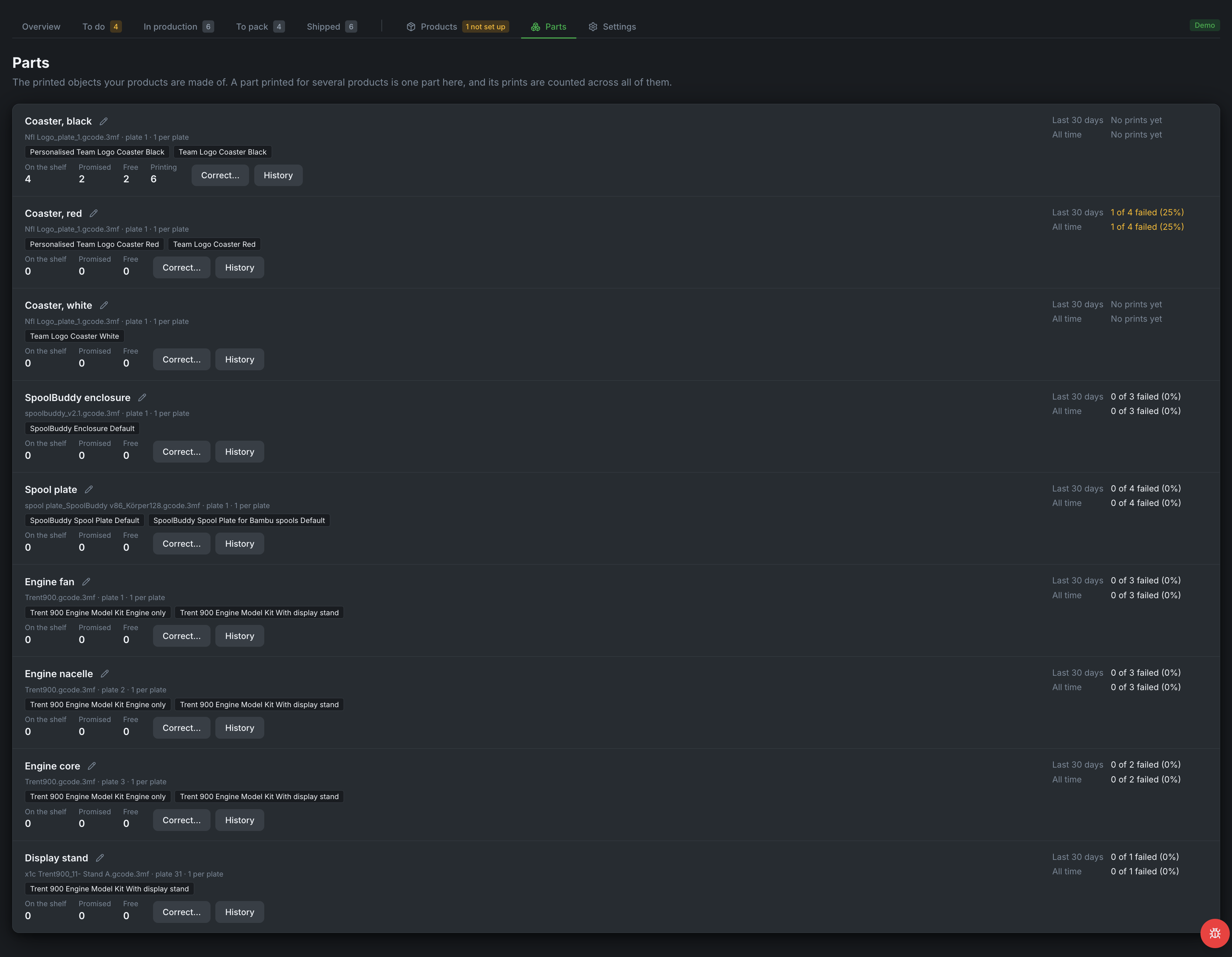
Parts lists the printed parts your products are made of: how many are on the shelf, promised to orders, free and still printing, with corrections, history, and how prints and quality checks went.
Enter your shelf count for a part, and an order the shelf covers goes straight to To pack; only what is missing is printed. A part no product uses any more, with nothing on the shelf, promised or printing, can be archived; it comes back by itself as soon as a product uses it again.
Stock goals
Give a product a stock goal in its setup (keep at least / top up to). Orders then takes pieces from the shelf first, and top-ups print for the shelf in whole plates. A finished top-up waits in To do under Stock to count until you enter how many passed your quality check. Linked products count a stock goal once.